
How to keep technical blog categories small and clear
Technical blogs usually do not get messy because they lack content. They get messy because every slightly new topic gets promoted into a new category. Once that happens, the archive looks wider, but the structure gets weaker.
Use the technical blog operations unit page as the anchor for related posts on internal links, image rules, and publishing structure. If you have not fixed the baseline yet, start with the rules you should fix first. If your next problem is link flow rather than naming, continue with the internal link cluster guide.
1. A category should survive ten more posts
The easiest test is time. If a label only makes sense for one narrow article streak, it is not a category. A category should still be useful after ten more posts land under the same theme.
For example, “Frontend” can survive expansion. “React image loading” usually should not. The second is better as a unit page or a support post cluster.
2. Merge duplicates before readers feel the overlap
Category systems break early through synonyms. “SEO”, “Search”, and “Search traffic” may feel different when you are writing, but they are often the same shelf from the reader's side. If the difference is hard to explain in one sentence, merge them now.
The same rule applies to pairs like “Deploy” and “Hosting”, or “AI workflow” and “AI operations”. If the archive feels like naming nuance instead of navigational help, the category layer is already too granular.
3. Use categories for shelves, unit pages for clusters
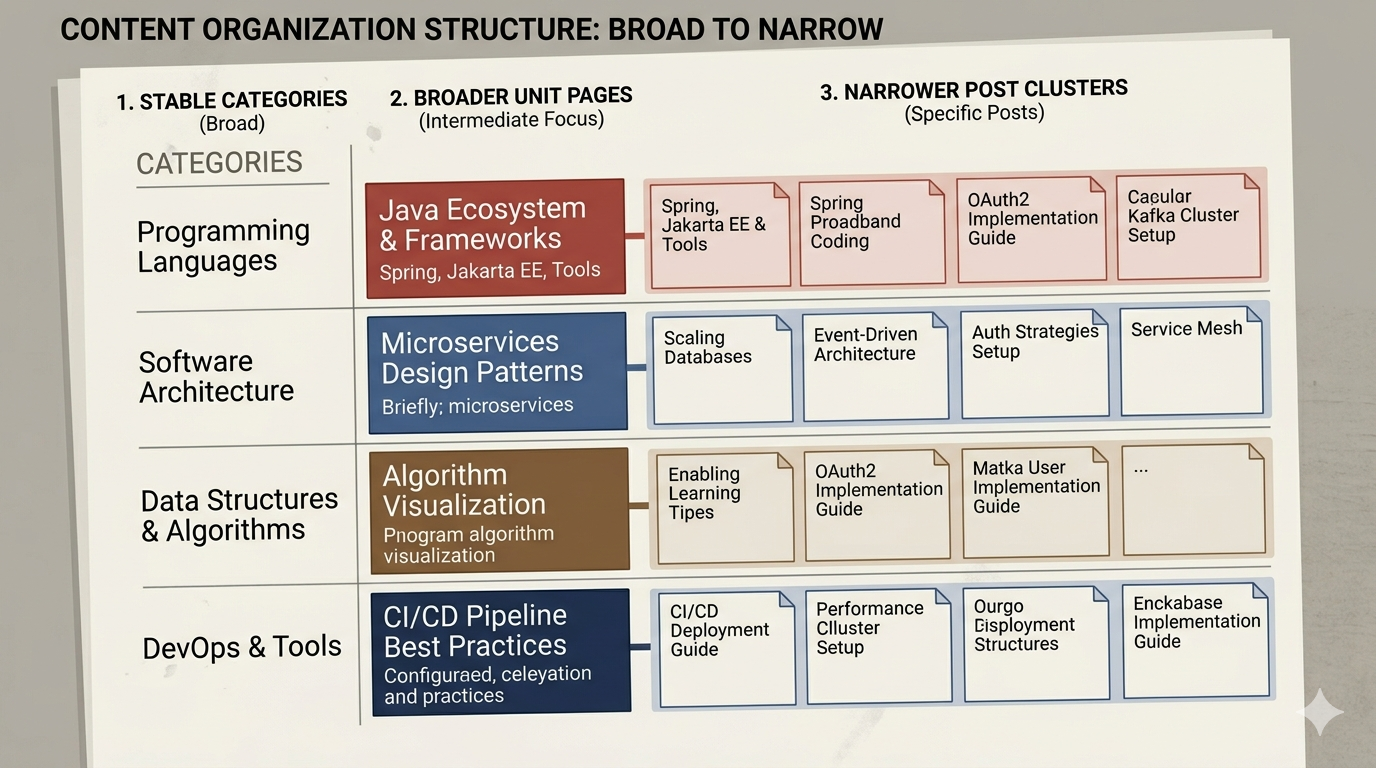
Categories should stay broad. Unit pages should collect a topic cluster. Individual posts should solve one narrower question. That three-layer split keeps the archive small without blocking content growth.
- Category: technical blog operations
- Unit page: internal links, image rules, review loops
- Post: how to design internal links for a technical blog
4. Test the structure from the outside
Read your archive like a new visitor. Can they guess where a post belongs before clicking? Can they tell why two categories are different? If not, the structure is clever from the writer's side but unclear from the reader's side.
A good category system makes placement boring. That is the point. Readers should not need your internal logic to browse the site correctly.
5. A smaller category set creates better internal links
When categories stay small, internal links can carry the nuance. That is stronger than trying to encode every nuance in top-level navigation. Keep the shelf simple, then let pillar posts, support posts, and comparison posts carry the detail.
What to do first
List your current categories. Remove labels that only fit one or two posts. Merge overlapping names. Then choose one stable category and map three unit pages beneath it. If you cannot draw that structure cleanly, you do not need more categories. You need fewer.